

New arrival
Sync Mirror Ball
LECASTLE Sync Mirror Ball for Sync TV - Disco Ball, Light Dots on Every Wall, In the Picture's Colours
L$ 179 L$ 199
10% less than the Marketplace (L$ 199) - there is no Marketplace fee here. Press Buy now and pay L$ 179 in Second Life.
“A futuristic and party-ready disco ball designed to enhance entertainment with synchronized lighting.”
- Copy + Mod, delivered in seconds in Second Life
- See it working at the mainstore - there is no demo
- Full guide: LECASTLE Sync TV guide
- Questions? Ask LECASTLE Assistant
Description
Hang a real mirror ball over your dance floor. LECASTLE Sync Mirror Ball turns on its motor and throws its light dots over every wall, the floor and the ceiling - in the colours of your Sync TV's picture, live, and flashing on the beat.PLEASE NOTE: this is an add-on light for LECASTLE Sync TV (sold separately). The TV gives the ball its colours, the beat and the remote. Without a TV it turns on its own in a home light. Get the Sync TV here: https://marketplace.secondlife.com/p/LECASTLE-Sync-TV-YouTube-TV-Live-Ambilight-Matching-Room-Lights/28798555A REAL MIRROR BALL
------------
A 30 cm ball of about 1,100 flat mirror tiles, each catching the light at its own angle, on a platinum shaft. It hangs from a motor in piano-black lacquer with platinum bands and a gold light ring that takes the picture's colour. The ball turns; the motor stays still. PBR mirror tiles reflect your room; switch to Classic on the remote for the old texture and shine, the same in every viewer.LIGHT ON EVERY WALL
------------
Two light projectors in the ball look out at the walls, one a little down, one a little up the other way. As the ball turns, their light dots sweep round the whole room: the walls, the floor and the ceiling. They are Second Life's own projected light, so they fall on everything in the room. Turn the light dots off or set how bright they are on the remote.IN THE PICTURE'S COLOURS
------------
One colour: the ring and all the dots take the part of the picture the ball follows. Two colours: the dots under the ball take the left of the picture, the dots over it the right. When no video plays, it shows the home light: warm white, cool white, any colour or Aurora.ON THE BEAT
------------
Set the remote's Music pulse to Tap the beat and tap along with the music: Flash - the dots and the ring flash on every beat - or Strobe - the dots stay dark between the beats and flash on each one. Swing turns the ball back the other way every 16 beats. If you like, the Scene cut drop spins it fast for 2 seconds at a cut in the video.ONE REMOTE
------------
The ball shows on the Room tab of your Sync TV remote with its own panel: Moves (Spin, Swing, Still), Speed (Slow, Normal, Fast - about 1, 2.5 or 5 turns a minute), Colours, On the beat, the Scene cut drop, Light dots on / off, Dots brightness, Material (PBR or Classic), the ring's brightness, the part of the picture it follows and its home light. No pop-up menus. Touch the ball in Second Life to switch it on or off.IN THE BOX
------------
- LECASTLE Sync Mirror Ball (the ball, its motor and its light dots - set up and ready)
- LECASTLE Sync Mirror Ball - READ MECopy + Mod: hang as many as you like and resize them. No transfer.HOW IT WORKS
------------
1. Rez your LECASTLE Sync TV.
2. Hang the Sync Mirror Ball from the ceiling near it, in the same region. It links by itself.
3. On the remote's Room tab, tap the ball: pick its moves, colours and light dots.GOOD TO KNOW
------------
Needs LECASTLE Sync TV (sold separately). About 3 Land Impact. The light dots need Advanced Lighting (always on in today's viewers) and show best in a dark room or a night sky. The ball lights the room in the picture's colours; it does not play any sound or video - your Sync TV does.Full guide with pictures: https://look.slecastle.com/tv/guide
------------
A 30 cm ball of about 1,100 flat mirror tiles, each catching the light at its own angle, on a platinum shaft. It hangs from a motor in piano-black lacquer with platinum bands and a gold light ring that takes the picture's colour. The ball turns; the motor stays still. PBR mirror tiles reflect your room; switch to Classic on the remote for the old texture and shine, the same in every viewer.LIGHT ON EVERY WALL
------------
Two light projectors in the ball look out at the walls, one a little down, one a little up the other way. As the ball turns, their light dots sweep round the whole room: the walls, the floor and the ceiling. They are Second Life's own projected light, so they fall on everything in the room. Turn the light dots off or set how bright they are on the remote.IN THE PICTURE'S COLOURS
------------
One colour: the ring and all the dots take the part of the picture the ball follows. Two colours: the dots under the ball take the left of the picture, the dots over it the right. When no video plays, it shows the home light: warm white, cool white, any colour or Aurora.ON THE BEAT
------------
Set the remote's Music pulse to Tap the beat and tap along with the music: Flash - the dots and the ring flash on every beat - or Strobe - the dots stay dark between the beats and flash on each one. Swing turns the ball back the other way every 16 beats. If you like, the Scene cut drop spins it fast for 2 seconds at a cut in the video.ONE REMOTE
------------
The ball shows on the Room tab of your Sync TV remote with its own panel: Moves (Spin, Swing, Still), Speed (Slow, Normal, Fast - about 1, 2.5 or 5 turns a minute), Colours, On the beat, the Scene cut drop, Light dots on / off, Dots brightness, Material (PBR or Classic), the ring's brightness, the part of the picture it follows and its home light. No pop-up menus. Touch the ball in Second Life to switch it on or off.IN THE BOX
------------
- LECASTLE Sync Mirror Ball (the ball, its motor and its light dots - set up and ready)
- LECASTLE Sync Mirror Ball - READ MECopy + Mod: hang as many as you like and resize them. No transfer.HOW IT WORKS
------------
1. Rez your LECASTLE Sync TV.
2. Hang the Sync Mirror Ball from the ceiling near it, in the same region. It links by itself.
3. On the remote's Room tab, tap the ball: pick its moves, colours and light dots.GOOD TO KNOW
------------
Needs LECASTLE Sync TV (sold separately). About 3 Land Impact. The light dots need Advanced Lighting (always on in today's viewers) and show best in a dark room or a night sky. The ball lights the room in the picture's colours; it does not play any sound or video - your Sync TV does.Full guide with pictures: https://look.slecastle.com/tv/guide
You may also like
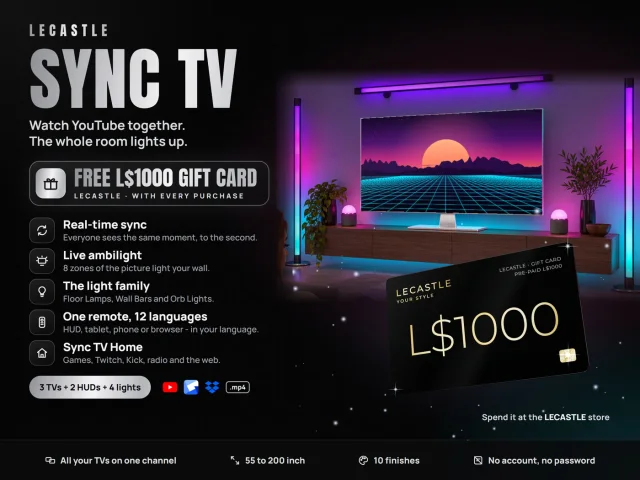 Sync TVYouTube TV, live ambilightL$ 2699
 Sync Gaming SetPC, monitor, chair, desk + moreL$ 1349
 Sync CinemaMotorised screen + projectorsL$ 2699
 Sync CafeTouch-screen espresso machineL$ 449
 Sync ClubRooftop club kit, 48 x 48 mL$ 4499
 Sync ClockSmart display clockL$ 269
 Sync TurntableDecor record playerL$ 269
 Sync SpeakersTower, subwoofer, soundbarsL$ 899